JULY 26, 2026
What Does a Professional Headshot Look Like?
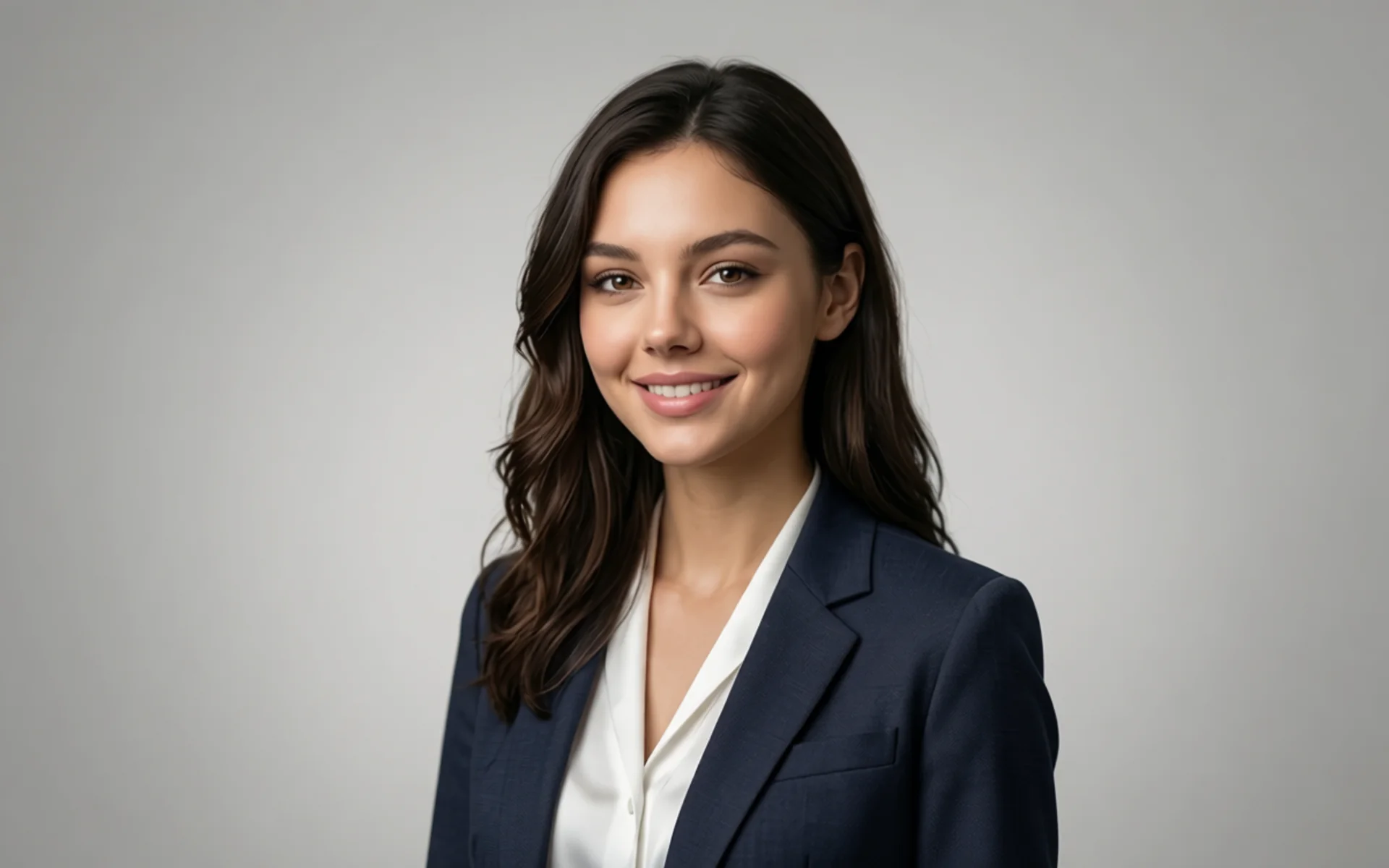
See what a professional headshot looks like — lighting, background, attire, and posing — plus how to get studio-quality results from one selfie with Vibe Photos AI.
A professional headshot is more than a photo. It is a polished, authentic portrait that conveys confidence and approachability while supporting your personal brand. If you are asking what a professional headshot looks like, the short answer is: clean, even lighting, a simple neutral background, industry-appropriate attire, a relaxed pose, and a genuine expression with the eyes as the focal point. The same standards apply whether you need a business headshot for LinkedIn or a company website.
There are two ways to reach that standard. The traditional route is booking a photographer or setting up a careful DIY shoot at home. The faster route is generating one with AI: upload a single selfie and get a full set of studio-quality headshots in minutes. This guide covers exactly what a great headshot looks like — so you can judge any result, human or AI — and shows how to produce one yourself with the Vibe Photos AI Headshot Generator.
Ready to skip the studio? Generate my headshots — no photographer required. Upload one selfie and get a full set that meets every standard below.
The Key Elements of a Great Professional Headshot
Every strong headshot is a combination of a few elements working in harmony. Use this checklist when you review photographer proofs or AI results:
- Balanced lighting — soft, even light (natural window light or a softbox) that flatters features and avoids harsh shadows.
- Simple background — a neutral wall or subtle setting (white, gray, soft blue) that keeps attention on your face.
- Professional attire — solid, neutral colors and simple designs that fit your industry.
- Relaxed pose — slight angles, straight back, relaxed shoulders; nothing stiff.
- Genuine expression — a natural smile or focused gaze, with the eyes creating connection.
Neat grooming and minimal distractions complete the look. When these align, a good shot becomes a great one. With an AI headshot, lighting, background, and framing stay consistent across every variation — so you can compare options side by side and pick the best without reshooting.
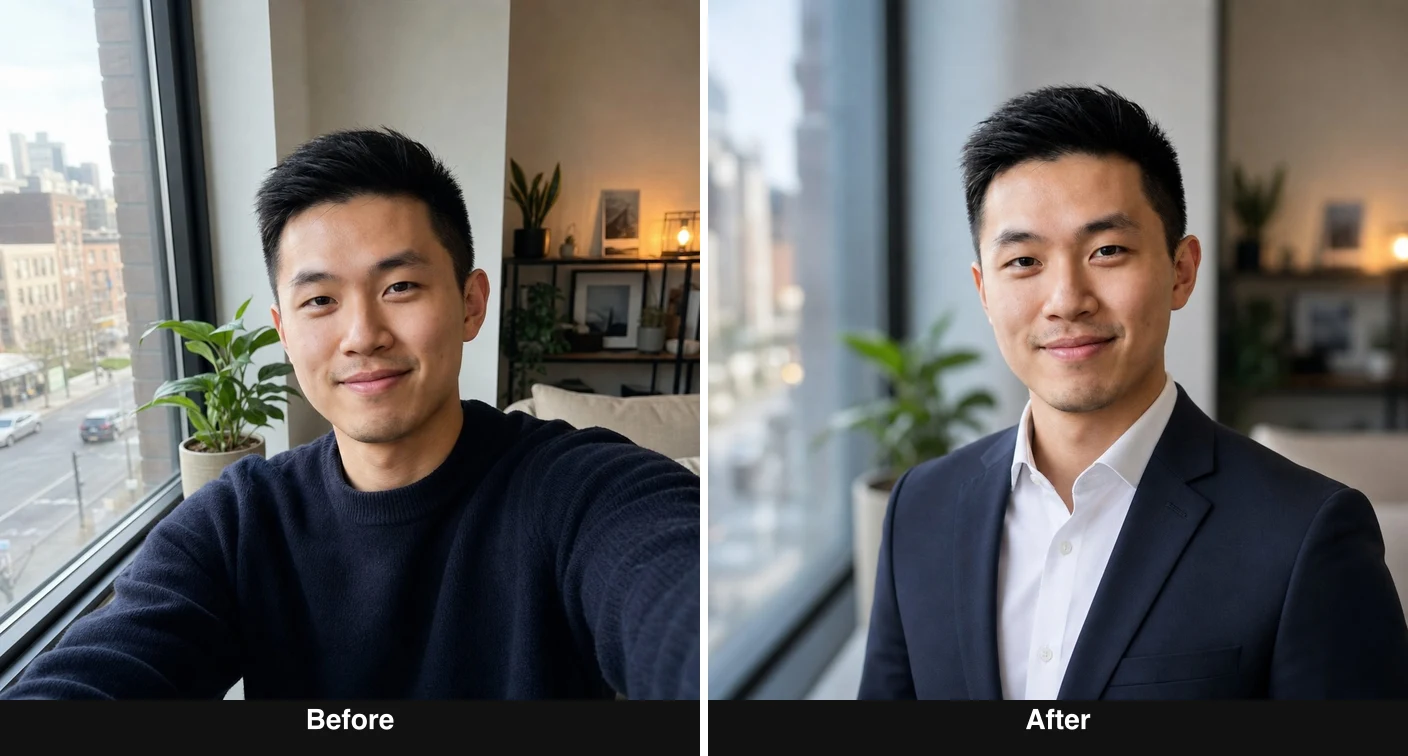
Professional Headshot Examples by Industry
Headshot style varies by field. Matching your industry’s expectations is half the battle. Here is what each style looks like — and the Vibe Photos pack that produces it:
- Corporate & business — formal attire, clean background, confident but approachable. See Corporate Headshots.
- Creative — more personality allowed: unique angles or a touch of color, still professional. Browse all Photo Packs for style ideas.
- Actors — versatility matters; casting looks often need a range of expressions. See Actor Headshots.
- Tech & startup — smart-casual leadership looks. See CEO Headshots.
- Dating & personal branding — warmer and more approachable than corporate. See Dating Headshots.
With AI, you can render the same face across several of these styles at once, then choose the right one for LinkedIn, a company bio, a casting profile, or a dating app — without booking multiple shoots.
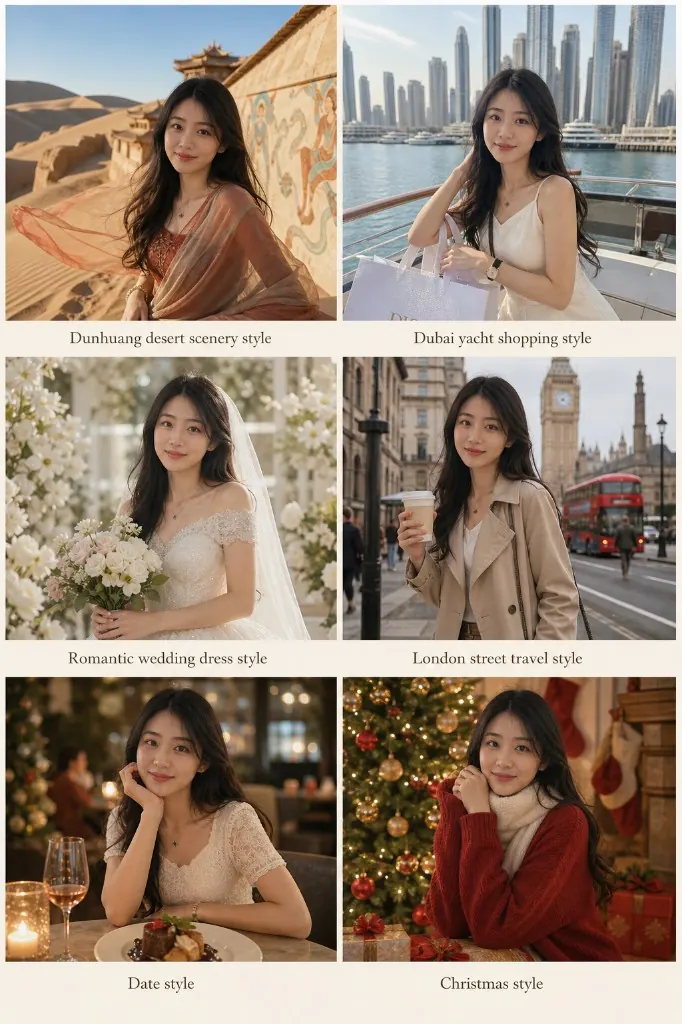
What to Wear for a Professional Headshot
The right attire reflects your industry and keeps the focus on your face. Choose solid, neutral colors like navy or gray, and avoid busy patterns or overly reflective fabrics.
- Women — a blouse or blazer with subtle jewelry works well.
- Men — a collared shirt or jacket; add a tie for more formal roles. Fit matters more than logos.
- Is white okay? Yes — pair it with a darker blazer or textured layer so studio light does not blow out the fabric.
Wear something you feel confident in; comfort shows in your expression. If you are generating headshots with AI, describe the outfit in your prompt (for example, “navy blazer over a white shirt, neutral gray background”) and test several looks instantly instead of changing clothes for a shoot. You can also refine an existing result with Vibe Photos image editing.
Choosing the Right Background
The background should complement, not compete with, you. Neutral backdrops — white, gray, soft blue — are the most versatile and read as professional across industries. Keep it uncluttered and make sure it contrasts gently with your outfit and skin tone.
This is one area where AI has a clear edge: the background stays clean and consistent every time, so you never have to hunt for a blank wall. You can also request a specific backdrop color to match a brand.
How to Pose for a Professional Headshot
A natural pose communicates confidence and approachability. Keep these in mind whether you are in front of a camera or reviewing AI results:
- Chin slightly forward to define the jawline.
- Back straight, shoulders relaxed.
- Gaze softly just above the lens; keep hands relaxed and out of tension.
Small adjustments beat big ones. With AI headshots, posing is handled for you — you simply select the frame with the most natural angle and expression.
Creative and Modern Headshot Ideas
Headshots do not have to be dull. A pop of color in your outfit or background, a slightly tilted angle, or an artistic backdrop can make you memorable — as long as it does not overshadow you. In creative and personal-branding contexts, that individuality is an asset.
Because an AI generator produces many variations at once, it is the fastest way to experiment: try a warm editorial tone, a bold background, or a moody studio style side by side, then keep the ones that fit. Start from Photo Packs if you want a guided style, or open the AI Headshot Generator for a quick single look.
How to Take a Professional Headshot at Home (Camera vs. AI)
You can reach a professional standard at home. Pick the approach that matches your time and gear.
Option A — The DIY camera setup
- Face a window for soft, even natural light; add a simple reflector to lift shadows.
- Use a clean, neutral wall as your background.
- Stabilize your phone or camera on a tripod; shoot at the highest resolution (portrait mode helps).
- Trigger with a timer or remote, take many shots, chin slightly forward, and review on a larger screen.
This is a solid DIY path if you enjoy shooting and have time to iterate.
Option B — The AI headshot (fastest and free)
If you want the professional look without the setup, upload a single clear selfie to the Vibe Photos AI Headshot Generator. It handles lighting, background, and framing automatically and returns polished, on-standard headshots in minutes — no tripod, no reshoots. It is the simplest way to go from an everyday phone photo to something that meets every criterion in this guide.
Try the AI Headshot Generator — upload one selfie and compare results against the checklist above.
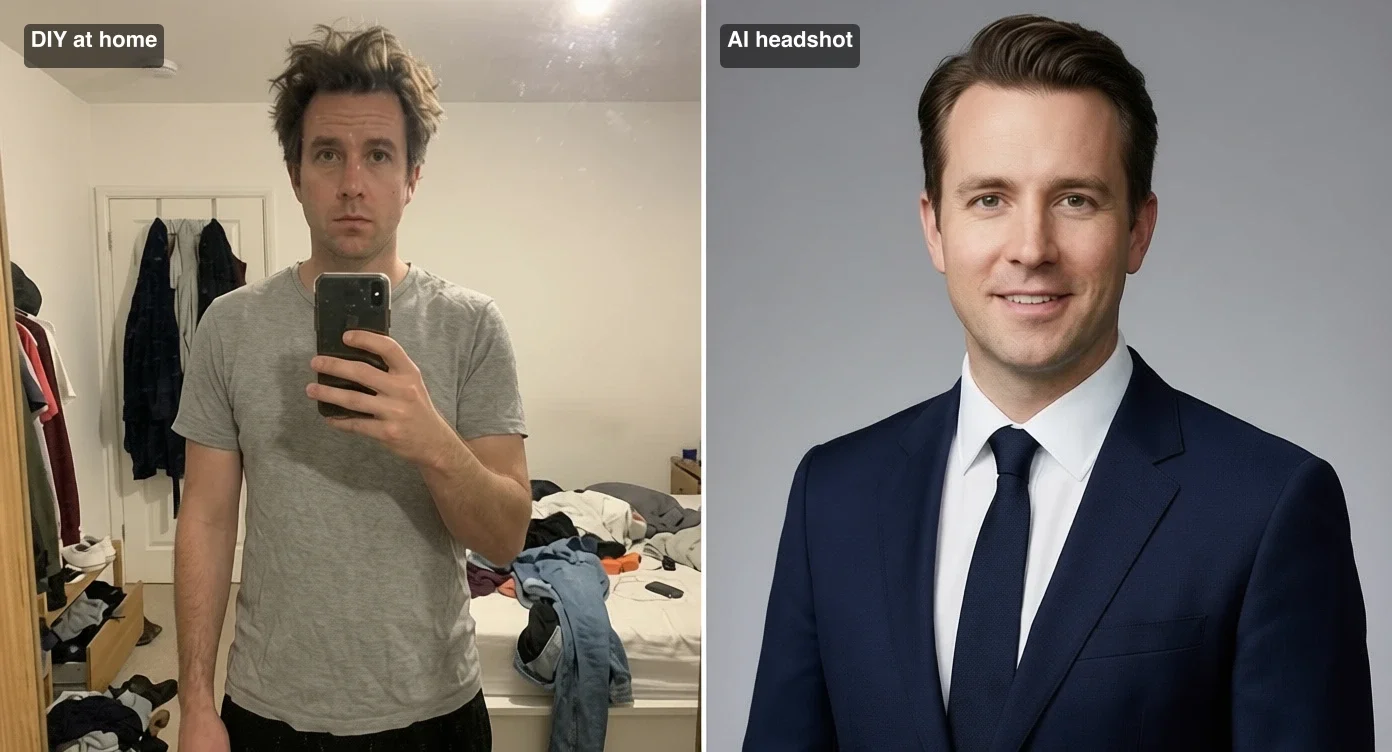
Hiring a Photographer vs. Generating with AI
Hiring a photographer still has real advantages: hands-on direction, tailored retouching, and a portfolio you can vet in advance. Research styles you like, discuss your goals, and confirm how many edited images and what retouching are included.
The trade-offs are time and cost. A studio session usually runs from about $100 to $500 depending on location, reputation, session length, and deliverables, plus scheduling and turnaround. An AI headshot is available on demand, typically free to try on Vibe Photos, and lets you regenerate variations whenever you need — so you are not locked into a single shoot.
Quick comparison:
- Time — studio: book + wait for edits; AI: minutes.
- Cost — studio: often $100–$500 per session; AI: free tool path on Vibe Photos (see Pricing for membership and credit options if you use paid generation workflows).
- Variations — studio: limited to the shoot; AI: many looks from one selfie.
- Best for — studio: high-stakes acting or executive portraits; AI: LinkedIn, resume, team pages, and fast refreshes.
For most people updating a profile photo, AI covers the need. For high-stakes casting or executive portraits, some prefer a hybrid: generate options, then refine a favorite with a photographer or with Vibe Photos.
How Much Do Professional Headshots Cost?
Photographer costs vary with reputation, location, and included services — typically $100 to $500 per session, with add-ons like extra retouching or prints costing more. High-demand cities run higher. When comparing, ask for a detailed list of what is included and evaluate value, not just price.
AI headshots change the math: instead of paying per session, you can try a free AI headshot path and upgrade only if you need more volume or premium workflows. That makes it easy to refresh your headshot every one to two years — or every time you change roles — without booking a new shoot. See current plans on Pricing.
Frequently Asked Questions
What does a professional headshot look like?
A polished, authentic portrait with soft balanced lighting, a simple neutral background, industry-appropriate attire, a relaxed pose with slight angles, and a genuine expression — with the eyes as the focal point.
Can an AI headshot look professional?
Yes. A good AI headshot hits the same standards — clean lighting, neutral background, natural pose and expression — and lets you generate several polished variations from one selfie. Review results against the checklist above and pick the most natural, flattering frame.
Will an AI headshot still look like me?
It should. Upload a clear, well-lit selfie of yourself (your own photo, used for your own profiles) and the generator preserves your likeness while improving lighting, background, and framing. Use recent photos for the most accurate result.
What should I wear, and is white okay?
Solid, neutral colors like navy or gray keep the focus on your face; avoid busy patterns and reflective fabrics. White works if paired with a darker blazer or textured layer to prevent overexposure.
Where can I get a professional headshot near me?
You can still book a local photographer if you want an in-person session. If you prefer speed and flexibility, generate one at home with the AI Headshot Generator — no travel, no appointment.
How often should I update my headshot?
Every one to two years, or whenever your appearance or role changes. AI makes regenerating fast, so keeping it current is easy.
Conclusion: Investing in Your Professional Image
A great professional headshot — clean lighting, a simple background, and a relaxed, confident expression — is one of the highest-leverage assets for your personal brand. Whether you book a photographer, set up a careful shoot at home, or generate one with AI, aim for quality and authenticity.
If you want that standard without the studio, upload one selfie to the Vibe Photos AI Headshot Generator and get professional headshots in minutes. Or browse Photo Packs to pick a style first.